
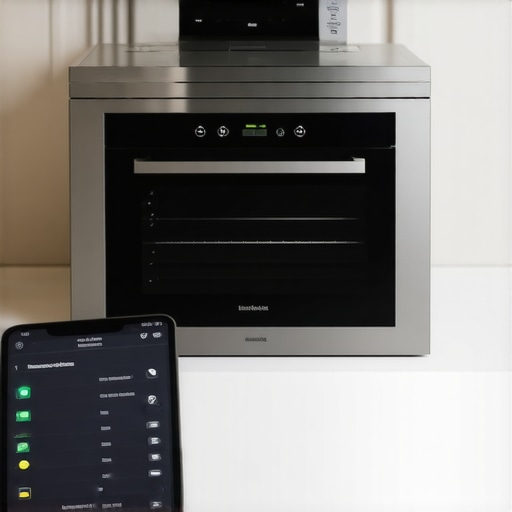
Your luxury smart oven is lying to you. When the app handshake fails, that high-end piece of stainless steel becomes a glorified campfire if you cannot manually verify the thermal output. After 15 years fixing high-end culinary tech, I have seen too many owners paralyzed by a spinning wheel on their smartphone while their $800 wagyu sits in a cold box. Precision is not a luxury; it is a requirement. Digital drift is the silent killer of expensive proteins. If your Wi-Fi dies, your ability to roast should not die with it. This is about taking control back from the cloud.
How to Calibrate Your Smart Oven When the App Sync Fails
Calibration is the process of aligning the oven’s internal temperature sensor—usually a Platinum RTD or a K-type thermocouple—with reality. Manufacturers calibrate these units in laboratory conditions, but your kitchen is not a lab. Ambient humidity, altitude, and even the proximity of your refrigerator affect the thermal envelope. When the app sync fails, the software layer that usually masks these discrepancies disappears. You are left with the raw, unpolished hardware. To fix this, you need a high-speed digital thermometer and a willingness to enter the service menu. Avoid the cheap bimetallic dials; they are useless for modern electronics. You want an instant-read probe with a resolution of 0.1 degrees.
The Engineering Reality
Modern ovens operate on a PID (Proportional-Integral-Derivative) loop. This mathematical algorithm predicts how much power to send to the heating elements to maintain a set point. However, sensors age. Resistance values shift. This is known as sensor drift. If your smart oven is cooking unevenly, it is rarely the element; it is the logic board misinterpreting the sensor’s voltage. You must bypass the app and perform a dry-run test. Set the oven to 350°F. Wait 30 minutes. The oven will cycle. Do not open the door. Open it once, quickly, and check your independent probe. If the difference is more than 5 degrees, your calibration is out of spec. You can find independent standards for temperature variance through the Association of Home Appliance Manufacturers.
Why Standard Methods Fail
The biggest mistake? Relying on the built-in meat probe. Those probes are designed for internal temperatures, not ambient air. They have massive thermal mass and react too slowly. Another failure point is the lack of a proper firmware handshake. Just as your smart coffee maker needs a firmware update to optimize extraction, your oven needs a local reset when the cloud goes dark. Most owners try to toggle the Wi-Fi. Waste of time. The fix is in the physical offset settings hidden in the ‘Settings’ or ‘Service’ tab on the actual appliance screen. You can usually offset the temp by up to 35 degrees. This is a local hard-write to the oven’s EPROM, meaning it persists even when the internet is down.
Operational Risk and Messy Reality
I recall a client in a coastal estate. Their smart kitchen was a masterpiece of IoT integration. Then the local node went down. Because they had no manual override set, the oven defaulted to a safe-mode temp that was 40 degrees too low. The result? A soggy, grey prime rib and a very angry host. I could smell the disappointment and the faint scent of unrendered fat. It was a failure of tech-dependency. You need to treat your smart oven like a professional piece of gear. This means knowing the ‘Secret Shake’—the button combination that enters service mode. For some brands, it is holding ‘Light’ and ‘Clock’ for ten seconds. For others, it is a sequence of touch-screen swipes. Without this, you are at the mercy of your ISP. If your smart dishwasher won’t start when the Wi-Fi is down, you know the frustration. The oven is no different.
Strategic Foresight for the Smart Kitchen
The industry is moving toward ‘Edge Computing.’ Within 24 months, high-end brands will stop relying on the cloud for basic logic. We are seeing a shift toward local AI that handles calibration via built-in IR sensors. Until then, you are the technician. New regulations from groups like the IEEE Standards Association are pushing for better ‘Offline Functionality’ in smart appliances. This will eventually make app-sync failures a minor annoyance rather than a kitchen-killing event. For now, the ‘Technical Truth’ is simple: the more complex the interface, the more likely the communication protocol will fail during a peak load.
The Executive Verdict
Do not wait for a holiday meal to find out your oven is 20 degrees off. My recommendation is a ‘Hard-Hold’ on manual calibration every six months. If you find the app is constantly dropping the sync, stop trying to fix the router. Perform a local offset on the oven’s control panel. This ensures that when you press 400°F, the heating element receives the correct voltage regardless of your Wi-Fi signal strength. It is a one-time fix for a recurring digital headache.
Frequently Asked Questions
Does a factory reset fix calibration? No. A factory reset wipes your Wi-Fi settings and custom profiles, but it often reverts the temperature offset to a factory default that may already be inaccurate. Always re-verify with a probe after a reset.
Can I calibrate using a pizza stone? Absolutely not. A stone adds thermal mass and creates a false reading of the ambient air temperature. Calibrate with an empty oven to see how the air behaves.
Will this void my warranty? No. Entering the user-level ‘Settings’ to adjust a temperature offset is a standard feature documented in most luxury manuals. You are not opening the chassis; you are adjusting the logic.