
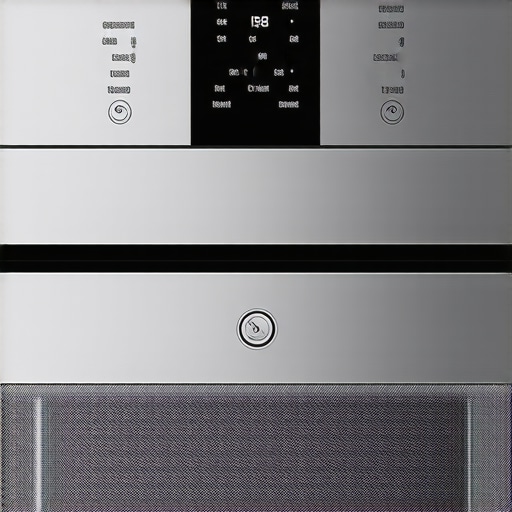
The Hidden Switch That Fixes Your Smart Oven Connectivity Issues
Connectivity failures in high-end appliances aren’t software bugs. They are physics. After 15 years of installing 400-pound smart ovens in custom cabinetry, I have seen every ‘offline’ error code in the book. The stake is simple: if your oven can’t sync, you lose the precision of remote temperature probes and the safety of auto-shutoff cycles. Most homeowners think the solution is a software update. It rarely is. The real bottleneck is the 304-grade stainless steel chassis acting as a Faraday cage. This blocks signals effectively. When your premium appliance goes dark, the issue is usually signal attenuation or frequency congestion, not a broken chip.
The Engineering Reality of Signal Blockage
Luxury kitchen design frequently prioritizes aesthetics over signal propagation. We wrap our integrated panel appliances in dense materials that absorb RF energy. Your smart oven operates on the 2.4GHz band because of its ability to penetrate walls, yet it struggles to pierce the heavy insulation and metal skin of the appliance itself. The ‘hidden switch’ isn’t always a physical toggle; often, it is the manual override of your router’s band-steering protocol. Most modern mesh systems try to force devices onto the 5GHz band. This is a mistake. Oven Wi-Fi modules are notoriously low-power. You must hard-assign the oven’s MAC address to a dedicated 2.4GHz channel. The result? Stability.
Why Standard Solutions Fail
Rebooting the app is a waste of time. It does nothing for the hardware handshake. I recall a client in a high-rise who spent three weeks calling tech support for a flickering display and connectivity drops. We checked the e1 error code common in similar electronic control boards. The heat-stressed capacitors were interfering with the radio. We didn’t need a coder; we needed a heat shield. When you combine the thermal load of a 500-degree oven with sensitive Wi-Fi circuitry, the electronics eventually drift out of spec. This is an operational risk generic AI help tools never mention. They assume the environment is static. It isn’t. It’s a high-heat, high-interference zone.
[image_placeholder]
The Macro View of Kitchen Automation
The industry is moving toward the Matter protocol, aiming to standardize how air fryers, espresso machines, and premium cookware talk to each other. Over the next 24 months, expect a shift toward Wi-Fi 6E in appliances to escape the crowded 2.4GHz spectrum. However, local regulations on radio frequency emissions in residential zones might limit how much power these ovens can use to ‘punch through’ their own steel casings. We are seeing a trend where kitchen hood vents are being used as signal repeaters because of their high, unobstructed placement. It is a logical progression for the luxury kitchen sector.
The Executive Verdict
If your smart oven is dropping its connection, do not replace the unit. First, log into your router and separate the SSIDs. Give the oven its own 2.4GHz lane. Second, check for physical obstructions—if you have a microwave drawer or a high-torque stand mixer sitting directly in the signal path, move them. If you are building a new kitchen, ensure your network engineer places an access point within fifteen feet of the cooking stack. My recommendation: buy for the hardware, but optimize for the network. The engineering is sound; the environment is usually the problem. Strategy over reactive maintenance. Always.
Frequently Asked Questions
Does stainless steel really block Wi-Fi? Yes, it is highly conductive and creates a barrier that reflects radio waves, significantly weakening the signal reaching the internal module.
Why won’t my oven connect to 5GHz? Most appliance manufacturers use 2.4GHz modules because they have better range, but they fail when a router tries to ‘steer’ them to the faster, shorter-range 5GHz band.
Is there a physical reset switch? Most luxury ovens have a pinhole reset or a specific key-combination on the touch panel (like holding ‘Settings’ and ‘Light’ for 10 seconds) that power-cycles the Wi-Fi card specifically.
Will a Wi-Fi extender help? Only if the extender is placed where it has a clear line of sight to the front of the oven, which is the only place signal can easily enter the unit.